Featured Post -

News 1
News 2
News 3
News 4


Showing posts with label Hackers. Show all posts

Anonymous Takes Down CIA Web Site

Saturday, February 11, 2012 0 comments


Anonymous has ended a rather busy week with a hack of the CIA website, which is currently offline.
"CIA TANGO DOWN: https://www.cia.gov/ #Anonymous," the @YourAnonNews feed tweeted around 3:30pm Eastern.
The CIA.gov website has been unresponsive for about an hour. Anonymous did not release details about the attack, but the group usually uses distributed denial of service (DDoS) attacks to take down its targets.
Last month, in the wake of the Megaupload shutdown, Anonymous also took down the websites for the Department of Justice, the Copyright Office, and the FBI.
Just last week, meanwhile, it also leaked a conference call between the FBI and Scotland Yard in which agents discussed ongoing hacker cases. Anonymous reportedly accessed the call because a foreign police official who received the conference call invite forwarded it to a personal account, where it was intercepted by Anonymous.
This week, the hacker collective focused its attention on overseas issues. It leaked emails from the office of Syrian President Bashar Assad, which included prep material for a recent Barbara Walters interview. It also released emails from the legal team who represented Frank Wuterich, the U.S. staff sergeant who led an assault on the Iraqi city of Haditha that left 24 unarmed civilians dead.
Also this week, a hacker loosely affiliated with Anonymous posted code from security firm Symantec on The Pirate Bay. The hacker had reportedly demanded a $50,000 ransom in exchange for keeping the code offline, but negotiations broke down.
For more from Chloe, follow her on Twitter @ChloeAlbanesius.

Facebook IPO Crashes SEC Website

Thursday, February 2, 2012 0 comments

It appears that the excitement over the Facebook IPO has crashed the SEC’s website. The link to the Facebook SEC filing, previously available here, is no longer loading. Instead, we’re seeing a “this webpage is not available message” when attempting to load the site using Google’s Chrome web browser, and similar errors in other browsers. This has gone on for several minutes now, as everyone is clicking through to read the filing. That’s too bad for anyone coming late to the news – you’ll have to wait for those who already had it loaded up on their screens to tell you what it said.

For what it’s worth, the entire SEC.gov website is not down – the main page still loads. But when you click into the EDGAR section, things start to slow down quite a bit. For example, try doing a search for company filings. Click, then wait and wait.

Update: The page is loading again now, but slowly. In fact, it’s been loading for many minutes now and has not finished downloading content. We wouldn’t be surprised to see it up and down throughout the day and more news hits.

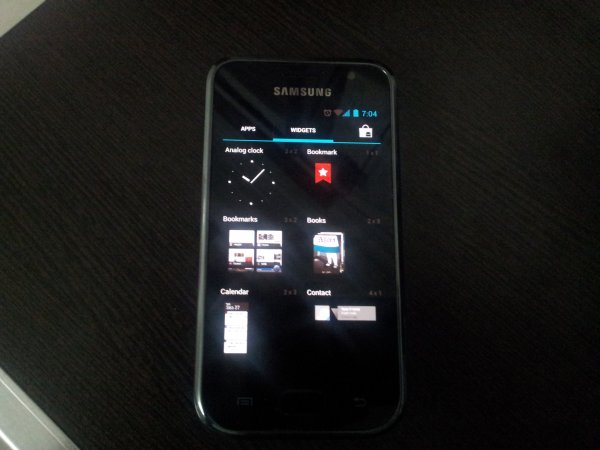
Android 4.0 Ice Cream Sandwich (ICS) Update for Galaxy S i9000

Thursday, December 8, 2011 0 comments


While Samsung would take ages — if they intend to bring the update in first place, which itself is debatable — to release the latest Android 4.0 update to Galaxy S officially via Kies, our beloved developers have already started burning their midnight oil to get you Ice Cream Sandwich love on your very dear very venerable in android blogosphere, the Galaxy S. And their hard work is showing up now in the form of a custom ROM — we’re talking about the first ICS (Android 4.0) port for Galaxy S, made by pretty famous now on Galaxy S development scene, Galnet.

Donation Link: You’ve a good ICS rom for your Galaxy S (not only on i9000 but also on i9000b, Captivate and Vibrant), thanks to hard work of Onecosmic for the last one month (and more). If you like the rom, do consider donating him — find the donate link here.

Other people who helped onecosmic:
  • pawitp (big guy — as onecosmic himself says. Fixed hell lot of things, and is a member of teamHacksung)
  • Galnet (started ICS from SDK)
  • lttldvl (worked together with Galnet),
  • Syndtr (kernel patches)
  • WarDrake (helped on fixing the 3G)
  • kooaN (i9000 kernel update)
  • thearc77 (for google apps)
  • ytt3r (for patching kernel)
  • motafoca (for 3G switch apk), etc.
As you see, I’ve linked the developer’s names to their own pages, where you can find the link to donate that particular developer. If you like the their work, do consider donating one or more of them — thus supporting the development of ICS on Galaxy S.

Android 4.0 Ice Cream Sandwich (ICS) ROM Status

IMPORTANT! The custom ROM is in very very alpha version and is not suitable for daily use right now. YOU MAY WANT TO WAIT and go for it only when it at least does the basic stuff right. (As on 30th Oct 2011, the ICS custom ROM is only able to boot on your phone and nothing else is working — you can’t even get past the lock screen! Touch sensors or anything else is not working at all.)

Update (20th Nov. 2011): The ROM just got some of the very important updates — Call, SMS, WiFi, etc. and crucial hardware acceleration function — all of which make it a good try now. It boots up nicely, works fast and is amazing to have, even though you’ll struggle to keep it and use daily no matter how much you want it. So, go ahead and give it a go.

Update (21th Nov. 2011): Alpha6 is out — 3G now works after a tweak, and external sdcard is working too, same for calendar sync. Bluetooth is still a to-do, as also camera, gps and camcorder. IF you don;t use camera much, it’s cool enough to be your daily-use ROM. Cheers to team!

Update (24th Nov 2011): Alpha 7 is out! Big update: GPS and Camera work now. You can use camera to shoot still images (no video, for now) while both ICS special panorama mode and face unlock feature on lock screen are working just as you would expect.

Update (28th Nov 2011): Awesome! Beta 1 is out. Guide below updated with new procedure, check this out!

What works:
Both cellphones:
Hardware Acceleration
Audio
calls, sms, 3g (with a ugly patch but it works.)
Touch
Wifi
SDCards (internal and external)
Market
Contacts sync
Calendar Sync
camera
panorama mode
face unlock
Gps
data usage
Partition schemma is now including datadata back to avoid issues with slow movinand devices
usb support
bluetooth
What Doesn’t Work:
Camera (video recording)
Phone encryption
COMPATIBILITY

This guide is applicable only for Samsung’s Galaxy S international version — GT-i9000 and GT-i9000B. Check your phone’s version in Settings – About Phone. It has to be “GT-i9000” or “GT-i9000B” for this Android 4.0 port ROM to be compatible with your phone. Otherwise, simply don’t try this ROM on your android handset — don’t even think about it if you care about your android device.

WANRING!
The methods and procedures discussed here are considered risky and you should not attempt anything if you don’t know completely what it is. If any damage occurs to you or your device, we won’t be held liable — you only will be responsible, you’ve been warned!!!
Installing the Android 4.0 ICS custom ROM isn’t that hard if you’ve already done flashing stuff a couple of times. But even if you’re new to flashing and custom ROMs, don’t worry one bit, we’ve got you covered. Just watch the video below, read the instructions and you are good to do it yourself.

Pre-Installation thoughts:

  1. Installing/Flashing this ROM will erase your apps and data. So, it’s a very important you back them up, before proceeding further. To backup your apps and important data — bookmarks, contacts, SMS, APNs (internet settings), etc. Restore APN settings if Internet isn’t working for you. This Android backup guide would help you. And if you’ve rooted your Galaxy S, you can save application’s data too, using Titanium backup (free app on android market) to backup apps with data. And use this this app only  again to restore those apps with data.
  2. Drivers! — it’s important you’ve the proper drivers installed. Download links below: 32 bit (x86) Windows |   64-bit (x64) Windows
  3. If you have Samsung’s PC software Kies installed, be sure to exit it before using flashing this ROM, or anything with odin software.

    Android 4.0 Galaxy S

    Android 4.0 Ice Cream Sandwich for Galaxy S

    Update: The installation process is much different now, with the latest release of beta1. The video below is not to be followed, but if you want to learn about rebooting into recovery, using CWM recovery, and other things, watching the video for once is recommended.
    Here’s the video showing the installation of Android 4.0 custom ROM (AOSP port, version alpha4):

    Note: There is a brief overview (from 6:58) of Android 4.0 running on Galaxy S in the above video.

    Step-by-step guide:
    1. Disable Lagfix on your phone, if any. If you are on a custom kernel or custom rom, you probably have it enabled.
    2. Remove sim card lock, if you set it earlier. Go here: Settings » Location and Security » Sim card lock  » checkbox should be clear (not selected).
    3. Download the latest “Android 4.0 file” from here, and then continue the steps below to flash it without any worries.
    4. Download the “kernel file”, too. Important, there are obviously different kernel files for i9000, i9000b, Captivate and Vibrant. So, select one meant for you phone and download that only, from here (it’s the same link you’ve in step 3, btw).
    5. You need to have ClockWorkMod (CWM) recovery installed on your phone. If you don’t have it already do this:
      1. Install XXJVS firmware first.
      2. Root and install CWM recovery on XXJVS.
    6. From beta1 version (and upwards until said not required), it would be better to install CM7 and then the Ice Cream Sandwich rom. So, install CM7 (Cyanogenmod 7) using this guide. It’s not a must to install CM7, you may be able to flash ICS without it too, but it’s said to be working at once with CM7 pre-installed — I tested using Cm7 and it worked fine.
    7. Transfer the Android 4.0 file and kernel file to your phone’s sdcard (don’t use external sdcard, btw). Remember the location where you transfer these two files.
    8. Power Off your Galaxy S. Wait for 5-6 seconds until you feel the vibration to confirm complete switch off.
    9. Then, press and hold these 3 buttons together: VolumeUP+Home+Power till the Galaxy S logo shows up on screen. You’ll boot into CWM recovery soon enough. (In recovery, use Volume keys to scroll up and down and power key to select an option. Use back key to go back.)
    10. Do Wipe Data/Factory Reset
    11. Do Wipe Cache Partition
    12. Flashing the kernel. Make sure you downloaded and transferred the correct kernel file — the one meant for your phone — in step 2 above. Now is the time to install it. So, select “install zip from sdcard”, select “choose zip from sdcard”, browse and select the kernel file and choose “Yes – Install ___” again.
    13. Now, while the phone is in recovery mode, remove battery and put it back after 3-4 seconds.
    14. Reboot to recovery mode again (as you did in step 9).
    15. Now, select “install zip from sdcard”. Then, select “choose zip from sdcard”. Now, browse through sdcard and select the file Android 4.0 file you downloaded in step3  and transferred in step 7 above. Select “Yes – Install ___” on the next screen.
    16. Flashing the kernel. Make sure you downloaded and transferred the correct kernel file — the one meant for your phone (in step 4 above) — whichever it is, either of i9000 and i9000b. Now is the time to install it. So, select “install zip from sdcard”, select “choose zip from sdcard”, browse and select the kernel file and choose “Yes – Install ___” again.
    17. Go back and select ‘reboot system now’ to restart the phone.
    18. You should see the android logo soon, and your phone should boot up within 10 mins at max with Android 4.0 Ice Cream Sandwich running on it.
    19. [Optional] Support the development and appreciate the hard work put in by the team by donating them. Find donation link given above.
    20. Go here to Root Galaxy S on Ice Cream Sandsich rom.
    21. Just for your info, Android 4.0 has arrived on S2 too — find our Installation Guide for Android 4.0 on Galaxy S2 i9100 here.
    That’s it. You’ve the Android 4.0 running coolly on your Galaxy S buddy. Cheers to awesome dev team!
     
    Enabling 3G:

    Flash this file from CWM recovery – enable3gv3.zip (just like you flashed the kernel file above). Reboot and you’ll see the 3G icon appear in the notification bar, provided you’ve input the right APN settings in mobile network settings.

    For me, 3G worked from right there, I got usual 3G speeds that I’m used to with. IF you still don’t get data working, do this:
    • Install Script Manager from android market (it’s free).
    • Open the app. You’ll see your sdcard content over there. Use the top row (one with 2 dots . . ) to goto parent folder. Tap once to got to the parent folder  (which is/mnt). Tap again on two dots to go to last parent folder / (simple forward slash only, indicating there is no parent folder to it) .
    • Find and tap on etc -> /system/etc, to go to this very folder (/etc).
    • Tap on init.d folder
    • Tap on 99enable3g. You’ll get a pop-up. Don’t touch anywhere else then mentioned below!
    • Tap on Help, you’ll get another pop-up.
    • Tap on to select checkbox with option – Run as root
    • Tap on to select checkbox with option – Run at boot
    • Tap on to select checkbox with option – Run on network change
    • With these 3 checkboxes selected, tap on Ok.
    • Tap on Save button now (in top right). Then, tap on Exit.
    • You’ll be back in init.d folder, press menu key to get options, select More and then select close to exit from the script manager app.
    • Reboot and you’ll have 3G working fine now. If you don’t just make sure you followed all the steps above carefully. Do repeat them all — from 2 to 13.
      Keep watching this space — we’ll be updating this post as and when a new version is available.
      Btw, if you want to revert back to Android 2.3 firmware from this custom ROM, get the XXJVS firmware from link in step 3.1 above and root it if you want, from link in step 3.2 above.

      Overview — Android 4.0 AOSP ROM (version Alpha 4) on Galaxy S

      Twitter is going after another typo domain name: Twittter .com (with an extra ‘t’)

      Wednesday, November 16, 2011 0 comments


      The dispute submitted by Twitter Inc over the typo domain Twittter.com (with an extra ‘t’), comes on the heels of Twitter’s win this month in a similar complaint against the typo domain Twiter.com.
      WIPO Case D2011-1973 was filed this week with the World Intellectual Property Organization.
      In the case of Twittter.com, the owner is using a popular scam, like the one used by Twiter.com of luring unsuspecting users to a site that looks confusingly similar to the official Twitter site (as shown in the picture above). 
      The user is guided through a series of questions that attempts to gather personal information by promising free gifts like an iPad 2. 
      Today, the full administrative panel decision was posted in the case of Twiter.com, which involved Twitter, Inc (the complainant) vs. Geigo, Inc of Albrook Park, Panama (the respondent). 
      According to the factual background, prior to filing its complaint, Twitter sent several cease-and-desist letters to Geigo, but received no reply.  
      Twitter finally reached a Geigo Inc. rep by telephone, who confirmed that they would not transfer the disputed domain name but would consider altering the content at the website.
      This apparently, never happened.
      Twitter demonstrated confusing similarity, that Geigo lacked rights or a legitimate interest in the domain, and that it was registered in bad faith, which might surprise some readers since the domain was first registered in 2004. 
      Here’s what the panel had to say on the point of ‘bad faith’: “Had Respondent made the initial registration in 2004 and maintained ownership through 2011 the Panel would likely have reached a different outcome about Respondent’s having registered the disputed domain name in bad faith. But Respondent has not even alleged that it or an affiliate owned the disputed domain name continuously since 2004, and has offered no proof (indeed no allegation) that it is or was affiliated with any prior owner. The available evidence, not contested by Respondent, shows another owner as late as March 2011.”
      Twittter.com (extra ‘t’) is currently registered to Goldberg Client Services, Inc. according to WHOIS records (privacy has been removed as of yesterday).  The domain was initially registered by its first owner in 2007.
      Given the track record of WIPO with Twitter, Twittter.com will likely be ordered transferred.
      You can read through all the details of the Twiter.com decision in Twitter’s latest win here.
      [Updated November 15, 2011, at 3:06pm EST:  Robin Wauters of TechCrunch pointed out that Twitter has filed a separate complaint (WIPO Case D2011-1992) over Twittr.com.]


      Siri Hacked to Run on Android and Other Devices !!

      0 comments


      Applidium, a mobile app company, has supposedly hacked into Siri's intricately-guarded servers and tricked the servers into communicating with a non-Apple device. Yes, you heard right: Siri has been hacked. Apple will likely do everything in their power to thwart these security breaches in the future, but, for now, the hack seems to work.
      So how did these merry pranksters manage to gain access to Apple's most popular new feature?
      Well, it's a long story. First, Applidium analyzed the iPhone's network data to see how it communicated with remote machines. Within this data, the hackers were able to spot a server that receives voice data and feeds back a response: the Siri server. The server required an encrypted SSSL connection and valid certificate in order to communicate so, naturally, the hackers created a fake one
      Applidium was then able to read Siri's conversations flowing between the phone and the servers. They then went about the insanely hard process of trying to understand the conversation, decompressing the data and finding waypoints like headers that marked chunks of data sent from phone to server and the response from server to phone.
      Even after all that hard work, its unclear whether a non-iPhone device could ever communicate with Siri's servers without also having an iPhone: Apple still checks to make sure the device it's communicating with has a unique iPhone 4S identifier. Unless someone figures out how to forge this as well, Siri can't actually be used on other devices unless the user has access to one of these codes.
      Still, the effort represents a bold breach of Apple's security and could pave the way for future Apple hackers.

      How to Get Old Facebook Chat back - This works amazingly well

      Monday, July 25, 2011 0 comments


      facebook-chat-logo

      UPDATE: NEW SCRIPT LINK UPDATED

      Facebook, the biggest social network site updated many features like video call and now it changed its chat features as Sidebar chat, but its really annoying the users. We can’t see who are online, it will just show our few friends who are we interact most, it will be most irritating one for who have more number of friends. Its really simple script you have to install in your Browser to get your Old Facebook chat. Lets see how to get back our Favorite Facebook chat.

      How to Get Old Facebook chat


      How to Install Old Facebook Chat Script in Google Chrome

      In Google Chrome, its really easy task to install the script to enable the Old facebook chat. Just Click the Following link to install Script. CLICK HERE TO GO TO DOWNLOAD SCRIPT PAGE. In the Script page Click ‘INSTALL’ button which is in the Top Right side of the page.

      Script install

      Now the Install Popup will appear, in that box CLICK ‘INSTALL’ and now the Script is Installed.


      Facebook chat script installed

      Now the Script is Installed. Now Close the Existing Facebook page and Open the Facebook again. You can See your Old Favorite Chat is available. If you cant see the old facebook chat, Clear the cache and open the facebook. Anytime you can remove this script from extension menu of the Google chrome to get the New sidebar chat box.

      How to Install Old Facebook Chat Script in Mozilla Firefox

      In Mozilla Firefox, First we need to install Grease Monkey Add-on before installing the Old Facebook Script. So Open the Firefox and go to Download page of the Grease Moneky Add-on from the following link. Click here to go to Gease Monkey Add-on Download page. In the Download page Click ‘Add To Firefox’ button.

      Add to Firefox

      After clicking ADD TO FIREFOX button, the popup will ask about installation. Click INSTALL and Its done.

      Installing Geasemonkey

      Now Gease Monkey Add-on is Installed. Now Click here to go to Script Page in the Script Page click Install button which is in the Right top, same as we did above for How to get Old Facebook chat for Google Chrome.
      After installing Close the Facebook and Open it again to see the Old Facebook chat is available. if you can’t find, Clear the cache files and try again. Anytime you can remove this script from Gease Monkey add-on to get the New sidebar chat box.


      Any doubts, See our Video Tutorial,

      How to Get Old Facebook Chat back


      If you like this post do like our page and share this interesting post to your friends as well.

      Goodbye, Fake Chinese Apple Stores !!

      0 comments


      micgadget1
      Bloomberg is reporting that the recently popularized Kunming-area fake Apple store is being investigated by Chinese authorities and it, along with another store, has been ordered to shut down.
      The owners of said stores, including one Yu Cheng (who claims he’s doing Apple a favor), have been trying to become official, authorized retailers for years and they say they’re not violating any laws.
      Not everyone is pleased:
      “The authorities should stop these fake stores from operating and selling whatever they want,” said Xie Yonglin, an employee at Nanfang Yuan, one of Kunming’s authorized Apple sales agents. The unauthorized stores “have a negative impact on our products and brands.”
      The funniest thing? Yu says Apple stores are woefully easy to copy, calling them on par with a school chemistry lab. We must also remember that except for the whole authorized reseller issue, it’s not completely illegal to have a nice, well-lit environment with lots of stuff for hipsters to do. If that were the case, Starbucks could sue almost every single modern coffee shop in Western Europe.

      Facebook Glitch Reveald Thumbnails & Descrip. Of Friends’ Private Videos

      0 comments


      Facebook’s labyrinthine privacy controls have sprung another leak.
      This time it’s their Videos feature, which lets users share brief clips with their friends and family (Videos launched back in 2007 and Facebook now serves billions of views each month). Of course, videos are often sensitive — even more so than photos — but Facebook’s privacy controls let you restrict who has access to each clip that you’ve uploaded.
      Unfortunately, those controls haven’t been working as they should: for the last week it’s been possible to see a full listing of your friends’ Facebook videos, including the name, thumbnail, description, and people tagged in each clip — regardless of whether or not you were supposed to have access to the videos.
      Clicking on the thumbnail to a video that was supposed to be private would yield a “This video either has been removed from Facebook or is not visible due to privacy settings” message, so you couldn’t watch it. But in some cases an incriminating thumbnail or lewd title could be enough to get someone into a trouble. And even if a video description didn’t show anything incriminating, it could lead to some awkward questions: “So, why can’t I see your Holiday Bash 2010 video…?”
      A Facebook spokesperson has confirmed that the site has now fixed the glitch, and that it was live for just over a week. And to be clear, this only affected videos shared by your Facebook friends — you couldn’t view descriptions of videos shared by people you don’t know.
      Here’s an example of what a video thumbnail looks like:
      This is only the latest in a long string of Facebook privacy holes, which have run the gamut from sending messages to the wrong people to vulnerability to XSS attacks on partner sites.
      Facebook is obviously very complex and engineers are constantly pushing changes to its code, but given how much personal information users upload to the site (and that’s only going to increase), it’s imperative that they lock down these holes. Google+ may be making a lot of headlines, but Facebook’s biggest threat right now is negative perception around privacy and trust, and these bugs don’t help.
      Thanks to TC reader Arjun Gadhia for the tip.

      Pentagon admits suffering major cyber attacks in March

      Friday, July 15, 2011 0 comments


      The Pentagon has admitted it suffered a major cyber attack in which thousands of files were taken by foreign hackers.

      Deputy Defence Secretary William Lynn said that in a March attack and other breaches, hackers had taken information on "our most sensitive systems".
      The admission came as the Pentagon rolled out a strategy for strengthening US cyber capabilities and addressing threats and attacks in cyberspace.
      The plan would treat cyberspace in a similar manner to land, air and sea.
      "In the 21st Century, bits and bytes can be as threatening as bullets and bombs," Mr Lynn said, unveiling the plan.
      In a speech at National Defense University in Washington, Mr Lynn said about 24,000 files containing Pentagon data were stolen from a defence industry computer network in March, marking one of the largest cyber attacks in US history.
      Extracting files
      He said at least one attack - a previously revealed 2008 penetration of classified computer systems - had come from a foreign intelligence service, and in an interview ahead of the speech said the Pentagon believed the March attack had been perpetrated by a foreign government.
      Previous cyber attacks have been blamed on China or Russia.

      Start Quote

      Keystrokes originating in one country can impact the other side of the globe in the blink of an eye”
      William LynnDeputy Defense Secretary
      "We have a pretty good idea" who did it, he told the Associated Press news agency.
      In his speech, he said some of the stolen data was "mundane, like the specifications for small parts of tanks, airplanes, and submarines.
      "But a great deal of it concerns our most sensitive systems, including aircraft avionics, surveillance technologies, satellite communications systems, and network security protocols," he said.
      Mr Lynn said cyber attacks in the future would not only focus on stealing data but also damaging US defences or even causing deaths.
      He added that virtual intruders have previously tried to extract files related to missile tracking systems and the Joint Strike Fighter.
      Though nations like China and Russia have been blamed for many previous cyber attacks, the Pentagon fears terrorist groups could eventually strike American computer networks and steal data.
      "Keystrokes originating in one country can impact the other side of the globe in the blink of an eye," Mr Lynn said.
      'Too aggressive'
      He added that information technology has become so important to the US government that it "virtually guarantees that future adversaries will target our dependence on it".
      Mr Lynn said the Department of Defense Strategy for Operating in Cyberspace was defensive, countering earlier criticism that the strategy might be too aggressive.
      In a release accompanying the new strategy, Defence Secretary Leon Panetta said it was "critical to strengthen our cyber capabilities to address the threats we're facing".
      The news comes one month after the Pentagon said it was building its own "scale model" of the internet to carry out cyber war games.

      Anonymous hackers attack US defence group -

      Wednesday, July 13, 2011 0 comments


      Hacker group Anonymous has released a cache of data it claims to have stolen from US defence consultant Booz Allen Hamilton.

      A file containing more than 90,000 e-mail addresses plus passwords, logins and other information was put on The Pirate Bay file-sharing site.
      The group said it stole the information by targeting a poorly protected server on the defence firm's network.
      Booz Allen Hamilton declined to comment on the incident.
      In text accompanying the download package, Anonymous said it was "surprised" at how easy it was to infiltrate the server given the consulting firm's record of working on defence and homeland security.
      The attack was carried out under the banner of the "Anti Sec" campaign that was originated by the short-lived LulzSec hacking group.
      That hacker collective "disbanded" in late June following a spree of hack attacks on high profile targets. Many of its members are thought to have joined up with Anonymous.
      As well as grabbing e-mails, passwords and a copy of a database, Anonymous said it had also got hold of lots of other material that it planned to use to attack other government agencies and federal contractors.
      Booz Allen told Reuters it had no comment to make about the alleged attack, adding that company policy meant it could not discuss "specific threats or actions taken against our systems".
      Commenting on the attack, Chester Wisniewski from security firm Sophos, said the attack's significance may lie in what happens to the addresses now they have been stolen.
      "...there clearly is demand for information about individuals related to the US defence that can be used to compromise their accounts and computers," he wrote.
      The Anonymous hacking group came to prominence thanks to the actions it took in defence of the Wikileaks whistle-blowing website. Among other things, Anonymous helped to co-ordinate attacks on companies, including Mastercard and Amazon, which it felt did not do enough to help Wikileaks.
      The latest attack follows recent raids by police forces in Spain, Turkey and Italy that resulted in the arrest of suspected members of Anonymous.

       
      CrackleTech © 2011 | Designed by WetCanvas Inc.